
Horses of Hoofprint Bay Mods: Where to Find and How to Make
Horses of Hoofprint Bay mods: no Steam Workshop, tack mods on Nexus Mods, Patreon and Discord, and the developer's own guide to making custom tack yourself.
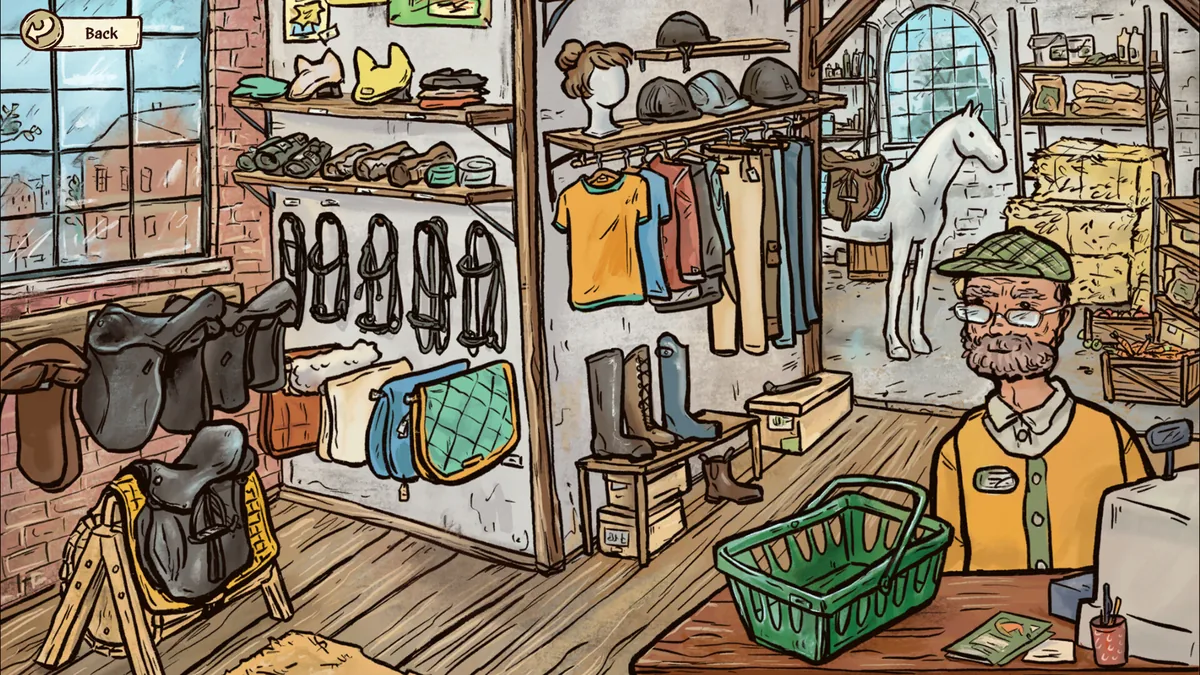
Horses of Hoofprint Bay mods are mostly custom tack so far: saddle pads and jumping pads that appear in the in-game shop, shared on Nexus Mods, Patreon and the official Discord. There is no Steam Workshop, but the game is built to be changed, and the developers ship their own instructions for making tack. This guide to Horses of Hoofprint Bay mods covers what exists, where to find it and how to make your own.
Mods matter for a game released without a content roadmap, because they're the main way new items will appear. The official Horses of Hoofprint Bay store page on Steam has a "Customize and Modify" section, and players have tagged the game "Moddable" there.
Is Horses of Hoofprint Bay Moddable?
Yes, by design. Under "Customize and Modify", the store description says you can edit the appearance of your character and tack with built-in color picking tools, "or even modify the game files to your liking to create custom color palettes". It adds that whether you stick to the curated selection or dig into the easily accessible textures and text files to change how horses and characters look "is entirely up to you".
| What you can change | How | Source |
|---|---|---|
| Character and tack colors | Built-in color picking tools | Store description |
| Coat color palettes | Edit the game files; a palette maker in the settings generates the randomized coat colors | Store description; player report from the February demo |
| Textures of horses and characters | Edit the easily accessible texture files | Store description |
| Text | Edit the text files | Store description |
| New tack and clothes for the shop | Add your own items in the mods folder | The developer's tack modding instructions |
| Show wear for competitions | Clothing option in the house, no mod needed | Player report |
Players noticed this early. In March 2026, a player on the official Steam forum wrote that the developers are open to modding, suggesting that features like dressage could be added by the community after release. Some names also change a horse's coat tint, according to players; see our Horses of Hoofprint Bay coats guide for that list.
Where to Find Horses of Hoofprint Bay Mods
A player asked on release day why there was no Workshop link on the store page. Another player answered that there's no Workshop for the game, but mods and installation instructions are on Patreon, and pointed to the mods channel on the official Discord.
| Where | What's there | Notes |
|---|---|---|
| Steam Workshop | Nothing | The game has no Workshop |
| Nexus Mods | A Horses of Hoofprint Bay section with 2 mods (November 6, 2026) | Public mod site |
| Patreon | Tack mods and install guides from several creators | A player listed Westmore Saddlery, Tack and more McLain, Name of a Moon and Three Lilies |
| Official Discord | A channel dedicated to mods | Join through the game's main menu or the developer's website |
Follow each creator's installation instructions, since every mod is packaged differently. For joining the Discord, see our Horses of Hoofprint Bay Discord guide.
Mods Available So Far
On November 6, 2026, the Nexus Mods page for the game listed two mods, both in the Miscellaneous category:
| Mod | What it adds | Published | File size |
|---|---|---|---|
| Custom jumping pads | Hand-drawn jumping pads in seven colors, matching sheepskin versions and a separate sheepskin half pad; all appear in the in-game tack shop | September 15, 2026 | 1.5 MB |
| Tartan saddle pads | Traditional and experimental tartan saddle pad designs in various colors | November 6, 2026 | 960 KB |
The jumping pads mod had 71 downloads at that time, and the tartan pads 4, so this is a young scene. The first mod predates the full release, which suggests the file structure was moddable in the demo as well.
How to Make a Horses of Hoofprint Bay Tack Mod
The developers include tack modding instructions and example items in the creator kit of their press kit. The steps below follow those instructions.
- Put the files next to your saves. Unzip the example items into
Horses of Hoofprint Bay/Saves~/Mods/Tack/(andMods/Clothes/for clothes). The "Open file location" button in the "Continue Game" menu opens the save folder. If that doesn't work, it is usuallyC:/Users/<yourUserName>/AppData/LocalLow/ThogliStudios/Horses of Hoofprint Bay/Saves~/on Windows and~/.config/unity3d/ThogliStudios/Horses of Hoofprint Bay/Saves~/on Linux. The folders already exist once you have at least one saved game. - Check the example items. Start the game and look for the Example Items in the shop in town. If they show up, you can start editing.
- Edit the images. Use any graphics program on the .png files. Everything in mid-gray (RGB 128, 128, 128, hex #808080) appears in the color set in the .json file; lighter or darker gray adds highlights and shadows. The game doubles the contrast, so paint highlights and shadows half as strong as you want them in game.
- Edit the .json file. It sets the item's name, price, colors and images:
| Field | What it does |
|---|---|
| type | The shop category the item is sold under; don't change it |
| id | A unique id; add your name if you share the item, so it doesn't clash with someone else's |
| namesPerLanguage | The item's name in the shop for each language; a missing language can cause errors |
| price | The price in the shop |
| availableAtStage | 0 from the start; 1 after buying half the stage 0 items, winning the medium competition or reaching day 25; 2 after buying half the stage 0 and 1 items, winning the last competition or reaching day 50 |
| spriteShopLayer1 / 2 | The shop icon; layer 1 is drawn on top of the optional layer 2 |
| spritesWearingLayer1 / 2 | The images drawn when a horse wears the item; an ear bonnet has three, because the ears move on their own |
| colors | The colors of layer 1 and the optional layer 2, in hex |
| matchColor | Which colors the shop's "same colored items" button tries to match |
When something doesn't load, the instructions list the usual causes: a missing or extra comma in the .json file, unmatched brackets, or a renamed image whose name wasn't changed in the .json file. The game writes a line for every item it tries to load to Player.log and Player-prev.log, one folder above Saves~/; search them for "custom item". If a shop icon is cut off, put a dot at about 1% opacity in all four corners of layer 1. The medium competition that unlocks stage 1 items is covered in our Horses of Hoofprint Bay medium competition guide.
What Players Want From Mods
Players have already listed what they hope modders will make:
- Breed mods: a player asked in release week whether horses themselves can be edited, hoping for new breeds; the developer's FAQ says other horse breeds are not planned officially.
- Custom horses: another player wished they could play with a custom horse; others replied that you can't, but you can breed the horse you want or recolor coats with the palette, even into rainbow horses.
- New disciplines: the March 2026 player who mentioned modding called dressage "a hard no" for the base game and saw a community mod as the only way it could come; the developer's FAQ later confirmed that other disciplines aren't planned.
Since the developer's FAQ says major new features like other breeds or disciplines are not planned, mods are the likeliest way any of these appear. See our Horses of Hoofprint Bay updates guide for what the developers do plan.
Horses of Hoofprint Bay Mods FAQ
Are there Horses of Hoofprint Bay mods?
Yes, mostly tack so far. On November 6, 2026, Nexus Mods listed custom jumping pads and tartan saddle pads, and players share more on Patreon and the official Discord. There is no Steam Workshop.
Where do Horses of Hoofprint Bay tack mods go?
In Saves~/Mods/Tack/ next to your save games, and clothes in Saves~/Mods/Clothes/, according to the developer's instructions. New items then appear in the shop in town.
Can I mod the horses?
The store page says you can edit the textures and text files that control how horses and characters look. No horse or breed mods had been published as of release week.
Do mods disable achievements?
The material doesn't say. Players have reported a "save was edited outside the game" message that locks achievements on a save, so back up your saves before editing files.
Related Guides
Discord: How to Join the Server
How to join the official Horses of Hoofprint Bay Discord: the in-game link, the invite on the developer's website, why it isn't on Steam and what it's used for.
Review Roundup: What Players Think
A Horses of Hoofprint Bay review roundup: Steam ratings, what The Bridle Paths said about the demo and full game, what players love and what they criticize.
Similar Games: Horse Games Like It
Horses of Hoofprint Bay similar games: the horse games the developers themselves recommend, the classic it was inspired by, and upcoming horse sims on Steam.
Updates: Patches and Future Plans
Horses of Hoofprint Bay updates: the plan after release, the v1.0.2 patch of November 8, 2026, every demo patch from v0.1.6 to v0.1.12, and what isn't planned.